How to Find the BPM of a Song: A Musician
How to Find the BPM of a Song: Determine the tempo (beats per minute) of a specific song
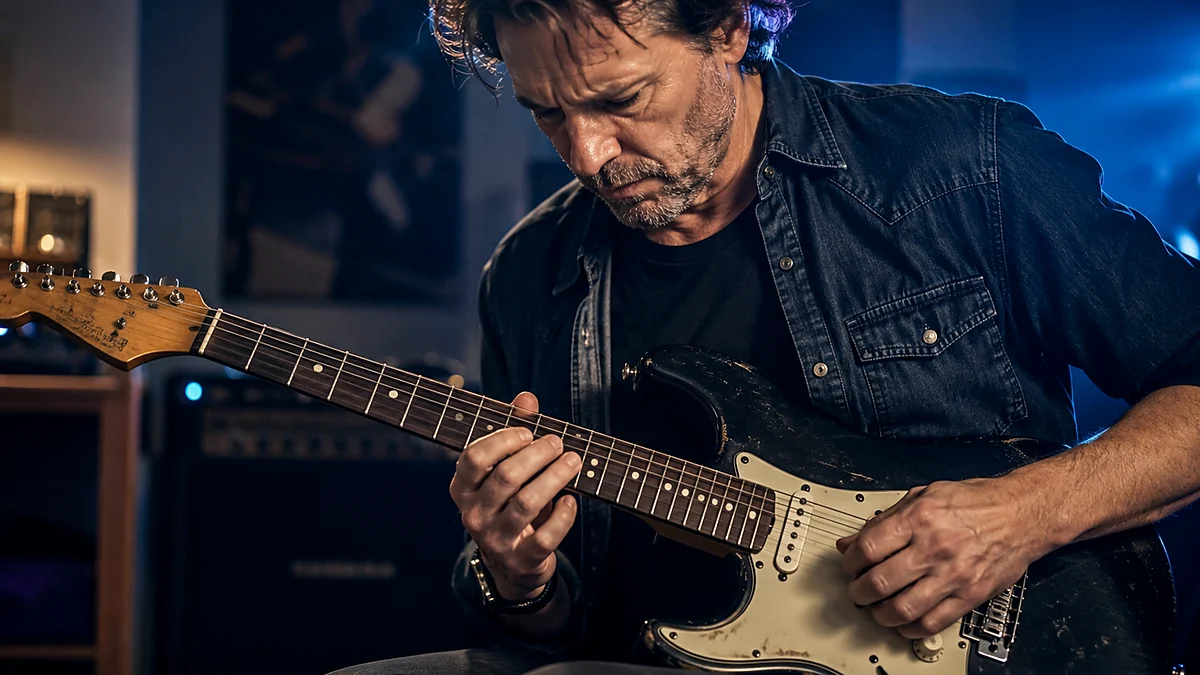
You are standing in a rehearsal room with your band, preparing to cover a classic track. The drummer turns to you and asks for the exact tempo so they can program a click track into their sample pad. Or perhaps you are a guitarist setting up a digital delay pedal, trying to dial in a dotted-eighth-note echo that syncs perfectly with the rhythm of a song. In both scenarios, you need to know the exact tempo of the music.
Knowing how to find the BPM of a song is an essential skill for any modern musician, producer, or songwriter. It bridges the gap between the raw feel of a groove and the precise technical settings of your gear.
Below is a quick guide to help you find a song's tempo immediately.
What is BPM? BPM stands for Beats Per Minute. It is the universal unit of measurement used to quantify the tempo, or speed, of a piece of music. For example, a song with a tempo of 120 BPM has exactly 120 beats occurring within the span of one minute, which translates to two beats every single second.
Step-by-Step: How to Find a Song's BPM by Tapping
- Listen closely to the track and locate the underlying pulse or heartbeat of the music (usually marked by the kick drum, snare, or bassline).
- Start tapping your foot, hand, or finger along with this steady pulse to internalize the rhythm.
- Open a reliable digital tool such as the Tap BPM Finder on Chords.me.
- Tap the designated key or button on your screen in perfect synchronization with the song’s beat.
- Continue tapping for at least 10 to 15 consecutive beats to allow the tool to calculate a stable, highly accurate average.
- Read the final BPM displayed on your screen.
Understanding BPM and Musical Tempo
To understand tempo, we have to look past the surface-level busywork of an arrangement. A song might feature a frantic, fast-strummed acoustic guitar pattern or a rapid-fire vocal delivery, yet the actual pulse of the song—the rate at which you would naturally clap your hands or nod your head—might be surprisingly slow.
Tempo is the foundational skeleton upon which all musical notes are hung. In classical music, composers used Italian descriptive terms like Adagio (slowly, leisurely), Moderato (moderately), or Allegro (fast and lively) to dictate speed. While these terms are excellent for conveying emotional character, they lack the mathematical precision required by modern recording environments, loop libraries, and digital effects pedals.
For contemporary working musicians, precise numbers are mandatory. If you are recording a guitar solo over a backing track, a discrepancy of even two or three beats per minute can make your performance feel rushed or sluggish. If you are a live performer using pre-recorded backing tracks, knowing the exact tempo of each song allows you to program smooth transitions, keeping your audience engaged without awkward pauses between tunes.
Method 1: How to Calculate BPM by Tapping Along
When someone asks, "can you find BPM by tapping?" the answer is a resounding yes. In fact, tapping along to a song is the most intuitive, natural, and widely used method among working musicians. It relies on your innate human ability to perceive rhythm and sync your motor skills to an auditory stimulus.
To calculate BPM by tapping along, you need a digital interface that measures the time interval between your physical inputs. This is where a dedicated online tool becomes invaluable.
Using the Tap BPM Finder
Using a dedicated tool like the Tap BPM Finder on Chords.me is incredibly straightforward. The tool operates on a simple mathematical principle: it tracks the exact number of milliseconds that elapse between each of your taps, converts those intervals into beats per minute, and averages them out over time to eliminate minor human inconsistencies.
To get the most accurate reading possible when using a tap tempo tool, follow these practical steps:
- Find the Downbeat: Before you start tapping, listen to the song for a few measures. Identify the "one" of the measure (the downbeat). In standard 4/4 time, this is typically where the kick drum hits, or where the harmonic chord changes occur.
- Ignore the Ornaments: Do not get distracted by fast drum fills, syncopated guitar riffs, or vocal ad-libs. Focus entirely on the steady pulse—the quarter notes. If it helps, listen for the snare drum, which almost always lands on beats two and four in rock, pop, and blues music.
- Tap Consistently: Start tapping your spacebar, mouse button, or phone screen. Try to keep your physical movement small and precise. Large, dramatic finger movements introduce physical lag, which can skew your results.
- Maintain the Tap: Do not stop after three or four taps. Your first few taps will inevitably be slightly off as your brain adjusts to the rhythm. Keep tapping for at least 12 to 16 beats. The tool's algorithm will continuously refine its calculation, settling on a stable, accurate number.
This method is highly reliable because it combines human musical intuition with digital precision. It works perfectly for almost any song, regardless of how complex or dense the arrangement might be.
Method 2: How to Find the BPM of a Song Without an App
There will be times when you find yourself in a rehearsal space with a dead phone battery, or on a stage with absolutely no internet connection. In these moments, you need to know how to find the BPM of a song without an app.
To achieve this, you must rely on manual calculation. All you need is a basic watch with a second hand, a wall clock, or the stopwatch function on a simple digital wristwatch.
The 15-Second Count Method
This is the fastest manual calculation method. It is highly effective for mid-tempo to fast songs.
- Get your timer ready: Look at your watch or prepare your stopwatch.
- Start counting the beats: As the song plays, begin counting the steady pulses of the music. Start your count on "one" the moment the second hand of your watch crosses a clear marker (like the 12 o'clock position), or the moment you start your stopwatch.
- Count for exactly 15 seconds: Keep a steady count of every beat that occurs within that 15-second window.
- Multiply by four: Take the total number of beats you counted and multiply that number by four (since 15 seconds is one-quarter of a minute).
The 30-Second Count Method
If you are dealing with a very slow ballad, ambient music, or a slow blues groove, the 15-second method can introduce a high margin of error. If you miscount by just one single beat in a 15-second window, your final calculation will be off by 4 BPM.
For slower tempos, it is far better to use the 30-second count method:
- Count the beats for a full 30 seconds.
- Multiply the total by two.
By doubling the measurement window, you cut your margin of error in half, giving you a much more reliable tempo reading for slow-tempo material.
Limitations of Manual Calculation
While manual calculation is a fantastic survival skill for musicians, it has distinct limitations. Human reaction times are imperfect. The split second it takes for your eyes to register the stopwatch and your brain to start counting can skew the results by a few beats per minute.
Furthermore, manual calculation assumes the song has a perfectly rigid, steady tempo. If you are analyzing a live performance or an older record made before the widespread adoption of digital click tracks, the tempo will naturally drift, making manual averages less precise than real-time digital analysis.
Method 3: Using Digital Tools and Software
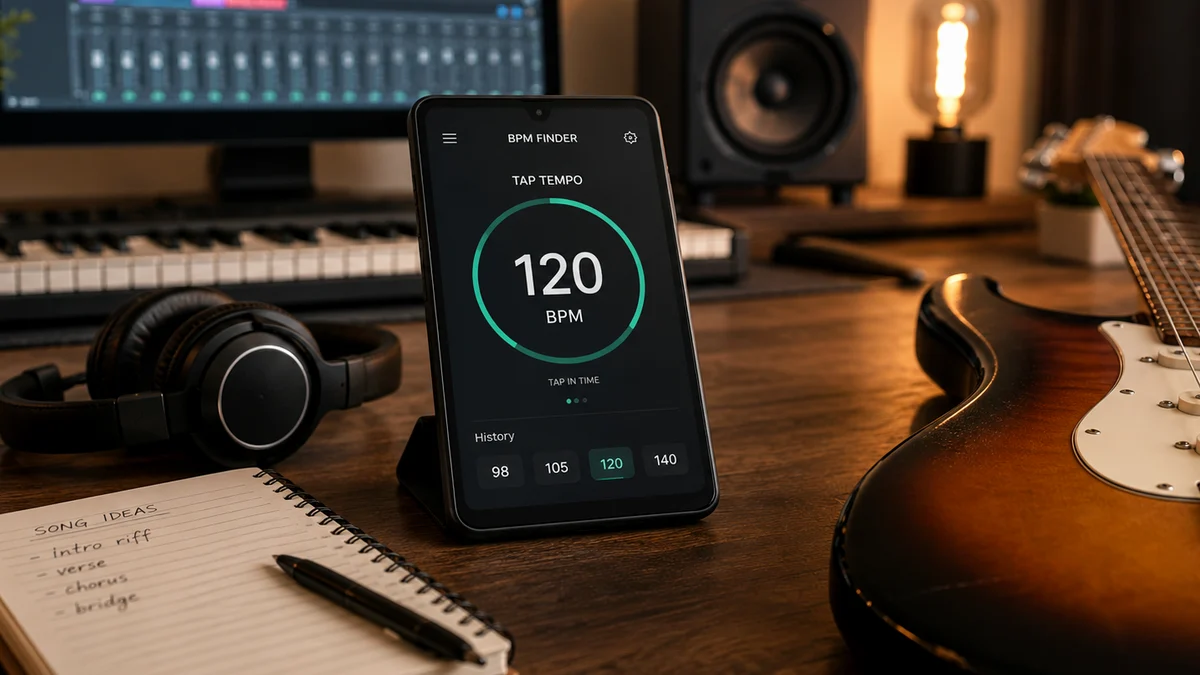
If you are working in a home studio or preparing tracks for a live performance, you will often want to know what tool finds a song's BPM with absolute, automated precision. Modern audio software has made tempo detection incredibly fast and accurate.
Digital Audio Workstations (DAWs)
If you use a DAW such as Ableton Live, Logic Pro, Pro Tools, or Reaper, you have powerful tempo-detection algorithms built right into your computer.
- Ableton Live: When you drag an audio file into Ableton, the software automatically analyzes the file and attempts to "warp" it to the project tempo. It looks at the transient peaks (the sharp, sudden spikes in volume caused by drum hits or guitar picks) and displays its calculated BPM in the sample clip viewer.
- Logic Pro: Logic features a dedicated "Smart Tempo" engine. You can import an audio file, and Logic will analyze the file to determine its constant tempo or even create a variable tempo map that follows the natural human drift of the performance.
- Reaper: In Reaper, you can select a time range over a specific number of measures in an imported audio file, right-click, and use the "Measure from Time Selection" option to automatically calculate and set the project tempo.
DJ Software
If you are a DJ or electronic music producer, software platforms like Serato DJ, Rekordbox, or Virtual DJ are designed specifically to analyze strong libraries of music in seconds. When you import songs into these programs, they scan the entire frequency spectrum of each track, identify the repetitive low-end transient patterns (the kick drum), and display the exact BPM in your track library. This process is incredibly accurate for electronic dance music, hip-hop, and pop, where the rhythm is highly defined and quantized to a grid.
Online Metadata Databases
If you do not have the audio file on your hard drive and simply want to know the tempo of a popular song, you can look it up in online song databases. Websites dedicated to music metadata catalog the key, scale, and BPM of millions of commercial tracks.
However, be aware that these databases are sometimes populated by automated web-scrapers or user submissions, which can occasionally result in incorrect data. Always double-check the database value by tapping along to the song yourself for a few measures.
Common Pitfalls When Finding a Song's Tempo
Finding the tempo of a song seems simple on paper, but music is an art form full of nuance, syncopation, and creative expression. These artistic choices can easily trick your ears—and even digital algorithms. Here are the most common pitfalls to watch out for.
The Double-Time and Half-Time Illusion
This is the most frequent mistake musicians make when trying to find song tempo. You might tap along to a song and get a reading of 140 BPM, while another musician taps along to the exact same track and insists it is 70 BPM. Technically, you are both right, but musically, one interpretation usually fits the vibe of the song better.
This happens because of how different genres handle rhythm:
- Half-Time: In genres like dubstep, trap, or modern R&B, the drums often play a very spacious pattern. The snare might only hit once every eight beats instead of every four. This can make a fast song feel incredibly slow. A track programmed at 140 BPM can easily feel like it is sitting at a relaxed 70 BPM.
- Double-Time: Conversely, in heavy metal, punk, or drum & bass, the drummer might play a rapid-fire pattern on the kick and snare, making a song written at 80 BPM feel like a blistering 160 BPM track.
To resolve this, look at the harmonic movement of the song. How fast do the actual chords change? If the chords are changing every four beats at 140 BPM, then 140 is your true tempo. If the chords are holding for what feels like an eternity, the song is likely written in half-time at 70 BPM.
Handling Tempo Drift in Classic Recordings
If you are analyzing classic rock tracks from the 1960s, 70s, or early 80s (think Led Zeppelin, Fleetwood Mac, or Jimi Hendrix), you must understand that these songs were recorded live to analog tape. The musicians did not play to a digital click track; they played to the natural, human pulse of their drummer.
Human beings naturally speed up slightly when they get excited. Because of this, you will often find that a classic song starts at 114 BPM during the intro, pushes up to 118 BPM during an energetic chorus, and settles back down to 115 BPM for the verse.
If you try to find the BPM of such a song:
- Do not expect a single, perfectly static number.
- Tap along to different sections of the song (the intro, the verse, the chorus) to see how much the tempo fluctuates.
- Use the average tempo if you need to set a single delay time, or build a flexible tempo map in your DAW if you are recording a cover version.
Syncopation and Odd Time Signatures
Standard tap tempo tools assume you are tapping in a standard 4/4 time signature (four quarter notes per measure). If a song is in an odd time signature like 3/4 (waltz time), 5/4 (like Dave Brubeck's "Take Five"), or 7/8 (like Pink Floyd's "Money"), your brain can easily get tripped up.
In 6/8 time, for example, there are six eighth notes per measure. If you try to tap on every single eighth note, your calculated BPM will be incredibly high and won't represent the actual feel of the song. Instead, try to tap the dotted-quarter-note pulse—the main "one-two" sway of the groove.
Tempo Ranges Across Common Musical Genres
Every musical genre has an inherent "heartbeat." While there are always exceptions to the rule, having a general understanding of typical genre tempos can serve as an excellent sanity check. If you tap along to a house music track and your tool reads 85 BPM, you can look at the typical ranges below and realize you have likely calculated the tempo at half-speed (it should be around 120-130 BPM).
| Genre | Typical BPM Range | Primary Rhythmic Characteristic |
|---|---|---|
| Ambient / Drone | 50 – 70 BPM | Loose, floating pulses; often lacks a distinct drum beat. |
| Blues | 60 – 90 BPM | Heavy emphasis on the triplet feel; slow, expressive grooves. |
| Hip-Hop / Rap | 80 – 115 BPM | Strong, heavy downbeats; vocals often dictate the rhythmic pocket. |
| Reggae | 80 – 110 BPM | Off-beat guitar chords (skank); bassline carries the main pulse. |
| Pop / Rock | 110 – 130 BPM | Driving 4/4 time; snare drum heavily emphasized on beats 2 and 4. |
| House / Techno | 120 – 130 BPM | "Four-on-the-floor" kick drum pattern; highly repetitive and quantized. |
| Heavy Metal / Punk | 130 – 180+ BPM | Fast, driving eighth-note guitar riffs; aggressive double-kick drumming. |
| Drum & Bass | 160 – 180 BPM | High-speed, syncopated breakbeats; often felt at half-time (80-90 BPM). |
Practical Applications for Musicians
Finding the BPM of a song is not just an academic exercise. It has immediate, practical benefits that can improve your playing, improve your rehearsals, and make your recordings sound significantly more professional.
Calibrating Delay Pedals
For guitarists, setting your delay pedal to match the song's BPM is the difference between a pristine, professional sound and a muddy, chaotic mess. If your delay repeats do not line up with the drummer's tempo, the echoes of your previous notes will clash with the new notes you are playing.
If your delay pedal features a digital display screen but lacks a tap tempo foot switch, you can calculate the exact delay time in milliseconds using a simple mathematical formula:
This means a quarter-note delay repeat should be set to exactly 500 milliseconds. If you want a dotted-eighth-note delay (the classic rhythmic sound used extensively by guitarists like The Edge), simply multiply your quarter-note value by 0.75:
By calculating the BPM first, you can dial in these exact values on your pedalboard, ensuring your rhythmic delays lock perfectly into the band's groove.
Effective Metronome Practice
If you are trying to master a difficult guitar solo, a complex fingerstyle pattern, or a fast chord transition, practicing at the song's original tempo right away is a recipe for frustration. Instead, find the target BPM of the song first.
Once you know the target tempo:
- Scale it down: Set your metronome to 60% of the target BPM. If the song is 120 BPM, start practicing at 72 BPM.
- Focus on precision: Play the passage perfectly at this slow speed. Ensure your hand placement is clean, your timing is flawless, and your muscles are completely relaxed.
- Incrementally increase speed: Once you can play the passage perfectly five times in a row, raise the metronome by 5 BPM.
- Repeat the process: Continue this gradual scaling until you reach the song's original tempo. This systematic approach builds deep muscle memory and prevents you from practicing mistakes.
Designing a Live Setlist
If you perform live, the flow of your setlist dictates the energy of the room. Transitioning abruptly from a fast, high-energy rock song at 145 BPM directly into a slow, somber ballad at 70 BPM can give your audience musical whiplash and empty a dance floor in seconds.
By finding
Related Chords.me Guides
For the next step, read CAGED System Guitar Explained: Complete Beginner’s Guide to Fretboard Mast, Beginner Guitar Lessons Roadmap: Your Step-by-Step Path to Playing Songs, and Major vs Minor Keys: Guitar Guide before moving on. You can also test the same idea in another key and keep practice timing steady with the tap tempo tool while practicing this lesson.
Practice This With Chords.me
Use the Tap Tempo to keep the exercise slow, steady, and repeatable. Focus on clean notes and steady timing before increasing speed.
Frequently Asked Questions
How can I find the BPM of any song?
You can find a song's BPM using a BPM-detection app or website that listens to the track, or by tapping along to the beat with a tap-tempo tool.
What is a good app to check BPM?
Many free tap-tempo and BPM-detector apps are available for phones and browsers, calculating tempo either by listening to audio or by tapping along to the beat.
Can you calculate BPM by counting beats manually?
Yes, you can calculate BPM manually by counting the beats in 15 seconds and multiplying by 4, or counting for a full 60 seconds for a precise reading.
About the Contributor
Chords.me Practice Tools Desk Practice workflow and music tools contributor
A brand contributor profile for Chords.me practice-tool guides. This desk focuses on timing, BPM, chord sheets, transposition, capo use, and ways to turn practice notes into usable playing routines. Content is checked for practical clarity, beginner readability, and accurate links to relevant Chords.me tools.