Chords and Lyrics Formatting Guide
Learn how to format chords and lyrics clearly so a guitar sheet is easy to read, print, and practice from.
Learning to play your favorite songs on the guitar is one of the most rewarding parts of your musical learning process. When you search for a song online, you are almost always met with a document containing chords and lyrics. This format is the universal shorthand of the working musician. It bypasses the need to read traditional sheet music or complex tablature, allowing you to get straight to playing.
However, if you do not understand how these sheets are formatted, you may find yourself struggling with timing, rhythm, and finger placement. A poorly formatted chord sheet can cause you to change chords at the wrong moment, disrupting the flow of the music.
This guide will teach you how to read, write, and format chords and lyrics correctly. You will learn how to align your chord changes with specific syllables, avoid common formatting mistakes, and use practical tools to create clean, professional chord sheets.
Featured Snippet: What is Chords and Lyrics Formatting?

Chords and lyrics formatting is a simplified musical notation system that displays the lyrics of a song with corresponding chord symbols placed directly above or inline with the text. This format tells the guitar player exactly which chord to play and the precise lyric syllable on which to transition to the next chord.
What is Chords and Lyrics Formatting?
At its core, chords and lyrics sheets (often called chord charts or lead sheets) are designed for quick reference. Unlike standard notation, which shows every individual note, pitch, and precise rhythmic value on a five-line staff, a chord chart gives you the bare essentials: the words of the song and the harmony supporting them.
This format relies on your familiarity with the song's melody and rhythm. Instead of telling you exactly how to strum, it provides the harmonic landmarks. When a "G" above a word, you play a G major chord. When a "C," you switch to C major.
For guitarists, this layout is incredibly efficient. It allows you to keep your eyes on the lyrics to track your place in the song while your hands execute the chord progression. It is the standard format used in jam sessions, church bands, campfires, and professional gigs worldwide.
How Do You Use Chords and Lyrics on Guitar?
Using chords and lyrics sheets correctly requires coordinating your visual tracking, your strumming hand, and your fretting hand.
1. Identify the Chord Symbols
The letters written above the lyrics represent specific guitar chord shapes. Capital letters on their own (such as A, C, D, E, G) indicate major chords. A lowercase "m" next to a letter (Am, Dm, Em) indicates a minor chord. Numbers like "7" (G7, D7) or "add9" represent extended chords that add color to the sound.
2. Align the Chord with the Syllable
The most important rule of reading a chord sheet is that the chord change occurs exactly on the syllable directly beneath the chord letter.
Look at this example:
In this layout, you strum the G major chord exactly as you sing the syllable "Yes-" in "Yesterday." You do not switch to the C major chord until you sing the word "troubles."
3. Establish the Pulse
A common mistake is trying to play the chord only when you sing the word, without keeping a steady beat. Before you try to sing and play simultaneously, tap your foot to a steady four-beat count (1, 2, 3, 4). Try to identify which beat the chord change falls on. Often, the chord change aligns with the downbeat (beat 1) of a new measure.
Is Chords and Lyrics Good for Beginners?
Yes, learning chords and lyrics for beginners is one of the fastest ways to build real-world guitar skills. It bridges the gap between technical exercises and actual music-making.
Why It Works for Beginners
- Immediate Gratification: You can play recognizable songs within your first few days of picking up the instrument.
- Contextual Learning: Instead of practicing beginner guitar chords in a vacuum, you learn them as they function within a real chord progression.
- Develops Ear Training: Because chord sheets do not show exact strumming patterns, they force you to listen to the original recording and match the rhythm by ear.
The Limitations to Keep in Mind
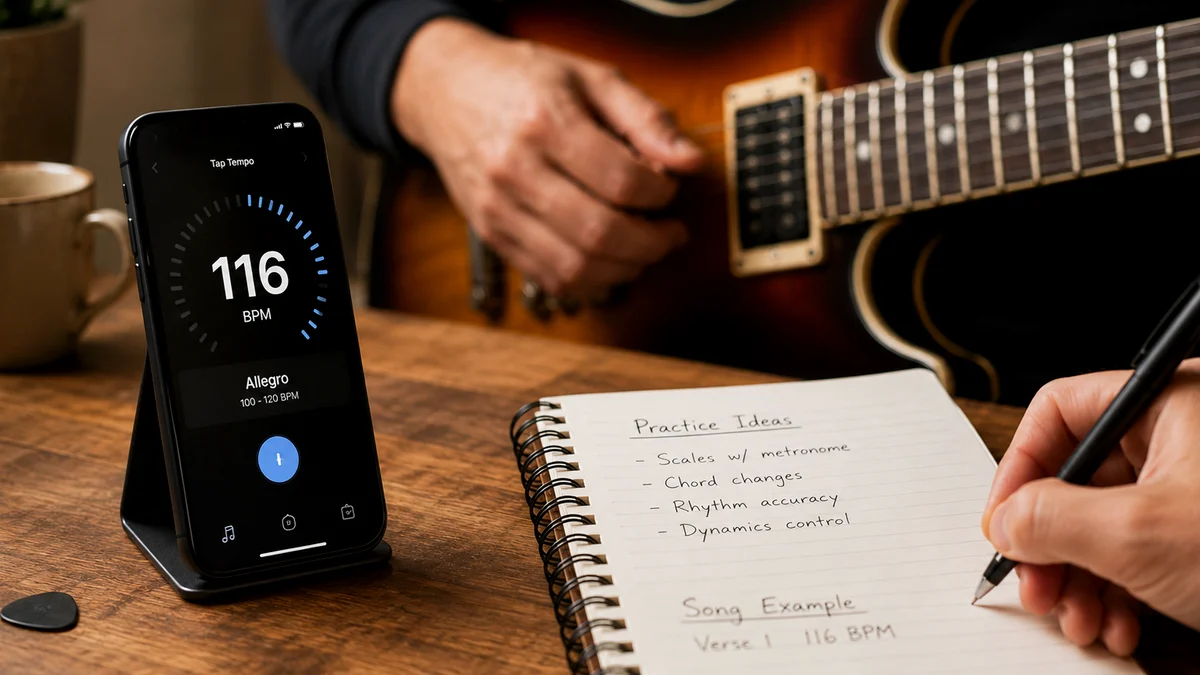
While chords and lyrics are excellent for getting started, they do not provide information about tempo, time signature, or specific strumming patterns. If you have never heard the song before, a chord sheet alone will not teach you how to play it. You must use your ears to fill in the rhythmic blanks, or use a tool like a tap BPM finder to establish the correct speed.
Common Chord and Lyric Formatting Styles
When you look for chords and lyrics online, you will generally see them written in one of two primary styles. Understanding both is essential for smooth reading.
1. Over-the-Text Style (Traditional)
This is the most common format. The chords sit on a dedicated line directly above the lyrics.
- Pros: Very easy to read while playing; keeps the lyrics clean and legible.
- Cons: If you copy and paste this text into a program with a proportional font (like Arial or Times New Roman), the chords will shift out of alignment. You must use a monospaced font (like Courier) to keep the alignment intact.
2. Inline Style (Bracketed)
In this format, the chords are placed inside square brackets directly within the line of lyrics.
- Pros: The chords never lose their alignment, no matter what font or screen size you use. This is the preferred format for digital databases and chord sheet software.
- Cons: It can be visually distracting to read the lyrics when they are constantly interrupted by bracketed letters.
3. Chord Sheets with Diagram Headers
For beginners, the best chord sheets include chord diagrams at the very top of the page. A chord diagram is a visual map of the guitar fretboard, showing you exactly where to place your fingers, which frets to press, and which open strings to play or avoid.

How to Learn Chords and Lyrics Step by Step
If you try to read the chords, change your finger positions, maintain a strumming pattern, and sing the lyrics all at the same time on your first try, your brain will likely experience cognitive overload. Use this step-by-step method to break the process down into manageable pieces.
Step 1: Memorize the Chord Shapes
Before looking at the lyrics, make sure your fretting hand knows the shapes. Practice transitioning between the chords in the song until your fingers can find the frets without you looking down at the guitar fretboard.
Step 2: Play the Progression on a Steady Beat
Isolate the chord progression from the lyrics. Set a slow, steady pulse. Practice strumming each chord once on beat one of every measure. For example, if the song is in 4/4 time, strum on 1, hold for 2, 3, 4, then switch to the next chord on the next beat 1.
Step 3: Speak the Lyrics in Rhythm
Put the guitar down. Read through the lyrics of the song while tapping your foot to the beat. Say the words out loud, paying close attention to which syllables land on your foot taps. This builds the rhythmic framework in your mind.
Step 4: Combine with Single Downstrums
Pick up your guitar again. Sing or speak the lyrics slowly, but only strum the guitar once on the exact syllable where a chord change occurs. Do not try to do a complex strumming pattern yet. This step connects your vocal timing with your physical hand movements.
Step 5: Introduce the Full Strumming Pattern
Once your single downstrums are perfectly aligned with your voice, gradually introduce your regular strumming pattern. If you lose your place or your rhythm falters, drop back to Step 4.
Essential Beginner Guitar Chords and Shapes
To read most chord sheets successfully, you need to master a handful of open-position chords. These are often referred to as "cowboy chords" because they are simple, use open strings, and form the basis of thousands of folk, country, and pop songs.
The table below outlines the most common beginner guitar chords, how to position your fingers, and how to troubleshoot common issues.
| Chord Shape | Finger Position (Fingers 1, 2, 3, 4) | Common Problem | Easier Option / Quick Fix |
|---|---|---|---|
| C Major (C) | Finger 1 on Fret 1 (2nd string), Finger 2 on Fret 2 (4th string), Finger 3 on Fret 3 (5th string). | Muting the 1st (E) string with the underside of Finger 1. | Arch your fingers high; ensure your thumb is low on the back of the neck. |
| G Major (G) | Finger 1 on Fret 2 (5th string), Finger 2 on Fret 3 (6th string), Finger 3 on Fret 3 (1st string). | Buzzing on the 1st string because the finger is too far from the fret. | Slide Finger 3 closer to the metal fret wire. |
| D Major (D) | Finger 1 on Fret 2 (3rd string), Finger 2 on Fret 2 (1st string), Finger 3 on Fret 3 (2nd string). | Accidentally striking the low 5th or 6th strings, creating a muddy sound. | Only strum from the 4th string (D string) down. The 4th string is the root note. |
| E Minor (Em) | Finger 2 on Fret 2 (5th string), Finger 3 on Fret 2 (4th string). | Accidentally muting adjacent open strings. | Ensure your fingers are perfectly perpendicular to the fretboard. |
| A Minor (Am) | Finger 1 on Fret 1 (2nd string), Finger 2 on Fret 2 (4th string), Finger 3 on Fret 2 (3rd string). | The chord sounds dull or lacks clarity. | Avoid playing the low 6th string. Start your strum from the open 5th string (A). |
When playing these shapes, always pay attention to the root note of the chord. The root note is the foundational pitch that gives the chord its name. For a C major chord, the root note is on the 5th string, 3rd fret. For a D major chord, the root note is the open 4th string. Striking the correct root note first when strumming makes your playing sound much cleaner and more professional.
Chords and Lyrics Mistakes Beginners Make
Even with a clear sheet, it is easy to fall into habits that slow down your progress. Here are the most common chords and lyrics mistakes beginners make, along with practical ways to fix them.
1. The "Visual Lag"
Beginners often look at the chord symbol, then look down at their fretting hand to position their fingers, then look back at the page to find their place in the lyrics. This constant back-and-forth movement destroys your timing.
- The Fix: Practice your chord transitions blindly. Keep your eyes anchored on the lyric sheet and trust your muscle memory to find the frets.
2. Changing Chords Too Late
Many players wait until they have completely finished singing a word before they switch chords. This pushes the chord change behind the beat, making the song sound disjointed.
- The Fix: Remember that the chord change must happen on the initial attack of the syllable, not after it. Anticipate the change a split second before you sing the word.
3. Ignoring Font Choice When Writing Sheets
If you write out your own chord sheets in a standard text editor using a proportional font like Times New Roman, your chords will look perfectly aligned on your computer screen. However, as soon as you open the document on a tablet or print it, the spacing will shift, placing the chords over the wrong words.
- The Fix: Always use a monospaced font (such as Courier, Consolas, or Monaco) where every character takes up the exact same horizontal space. Better yet, use a dedicated chord sheet formatter.
Creating Your Own Clean Chord Sheets
Writing out your own chord sheets is an excellent way to internalize a song's structure. When you manually align the chords with the lyrics, you develop a deep understanding of the relationship between the melody and the harmony.
However, manually spacing out chords using the spacebar in a text document is tedious and prone to formatting errors. If you change the font size or try to transpose the song to a different key later, your hard work can be ruined instantly.
To make this process effortless, you can use the Chords.me Chord Sheet PDF Generator. This tool allows you to input your lyrics and chords in a simple format, automatically aligning them so they never shift. You can easily generate clean, beautifully formatted PDFs that are easy to read on a music stand, tablet, or phone.
Best Practices for Writing Chord Sheets
- Keep Sections Clear: Use bold headers for your sections (e.g., Verse 1, Chorus, Bridge). This helps you navigate the song at a glance.
- Limit the Information: Do not write out every single repetitive chorus if the chords do not change. You can simply write "Chorus" to save space and keep the document to a single page.
- Indicate the Strumming Pattern: At the top of the sheet, write down the time signature (e.g., 4/4) and a basic representation of the strumming pattern (e.g., D-DU-UDU) to jog your memory.
- Include Capo Instructions: If the song requires a capo to match the original recording, write "Capo 2" or "Capo 4" clearly at the top of the page.
Mastering the Flow of Your Music
Learning how to read and format chords and lyrics is a fundamental skill that helps you learn thousands of songs. By understanding how chord symbols align with syllables, practicing your transitions away from the text, and avoiding common alignment mistakes, you will quickly transition from a hesitant beginner to a confident player.
Keep your chord sheets clean, practice your open shapes until they are driven by muscle memory, and focus on maintaining a steady rhythm. With the right formatting and a bit of daily practice, you will find yourself playing through entire songs smoothly, enjoying the true magic of making music on the guitar.
Related Chords.me Guides
For the next step, read Major vs Minor Keys: Guitar Guide, Blues Scale Guitar Guide: Beginner Practice Guide, and Major Scale Guitar Guide: Beginner Practice Guide before moving on. You can also test the same idea in another key and turn your chords and lyrics into a clean PDF while practicing this lesson.
Practice This With Chords.me
Use the Chord Sheet PDF Generator to test the layout and make the chart easier to read. Focus on clean notes and steady timing before increasing speed.
Frequently Asked Questions
What is Chords and Lyrics Formatting?
Chords and Lyrics Formatting is a guitar-learning topic that helps players build a clearer connection between technique, sound, and practice. For beginners, the most useful approach is to learn the basic idea first, then apply it slowly on a tuned guitar.
Is chords and lyrics formatting hard for beginners?
It can feel difficult at first, but it becomes manageable when you break it into small steps. Focus on clean notes, relaxed hands, and short practice sessions instead of trying to master everything in one day.
What should I practice first for chords and lyrics formatting?
Start with the simplest version of the idea: one chord, one pattern, one short exercise, or one small section of the fretboard. Once that feels stable, add timing, transitions, or a second example.
What common mistakes should I avoid?
Avoid rushing, pressing harder than necessary, ignoring tuning, and practicing mistakes at full speed. Slow, accurate repetitions usually fix beginner problems faster than long unfocused practice sessions.
Which Chords.me tool helps with this topic?
The Tap Tempo is the best supporting tool here because it helps with keeping rhythm steady and checking practice tempo. Use it before or during practice so the article’s examples translate into real playing more easily.
About the Contributor
Chords.me Practice Tools Desk Practice workflow and music tools contributor
A brand contributor profile for Chords.me practice-tool guides. This desk focuses on timing, BPM, chord sheets, transposition, capo use, and ways to turn practice notes into usable playing routines. Content is checked for practical clarity, beginner readability, and accurate links to relevant Chords.me tools.